Why Time Blocking Falls Apart (and What to Do Instead)
Published · Updated · Canvas Tasks
Sunday evening, the week looks solved. Deep work from nine to eleven on Tuesday, the proposal Thursday afternoon, admin swept into a Friday corner. Every block sits in its slot, and the grid gives off the specific calm of a problem already handled.
By Tuesday at 11:40 the grid is fiction. A call ran long, one block slid into the next, and the ones behind it are now wrong by an hour each. The schedule has quietly changed jobs: it no longer describes your day, it lists what you didn't do. A plan that goes slightly off tips people into all-or-nothing thinking, where the whole thing is either intact or worthless (idea Lane). And a document that mostly records failure is one you stop opening, which makes everything downstream worse (Psychology Today).
The problem isn't that the day moved. Days move. The problem is what the grid was claiming in the first place.
Time blocking fails for a reason that has nothing to do with discipline: it asks you to decide, days in advance, what you'll be capable of at a specific hour. The problem has two halves. Psychologists call the first half the planning fallacy — we systematically underestimate how long things take. The second half is harder: even a perfect estimate assumes the person who shows up at 2pm on Thursday is the person who scheduled it. Keep the planning. Move the clock. Put order in the future, and decide times on the day you're in.
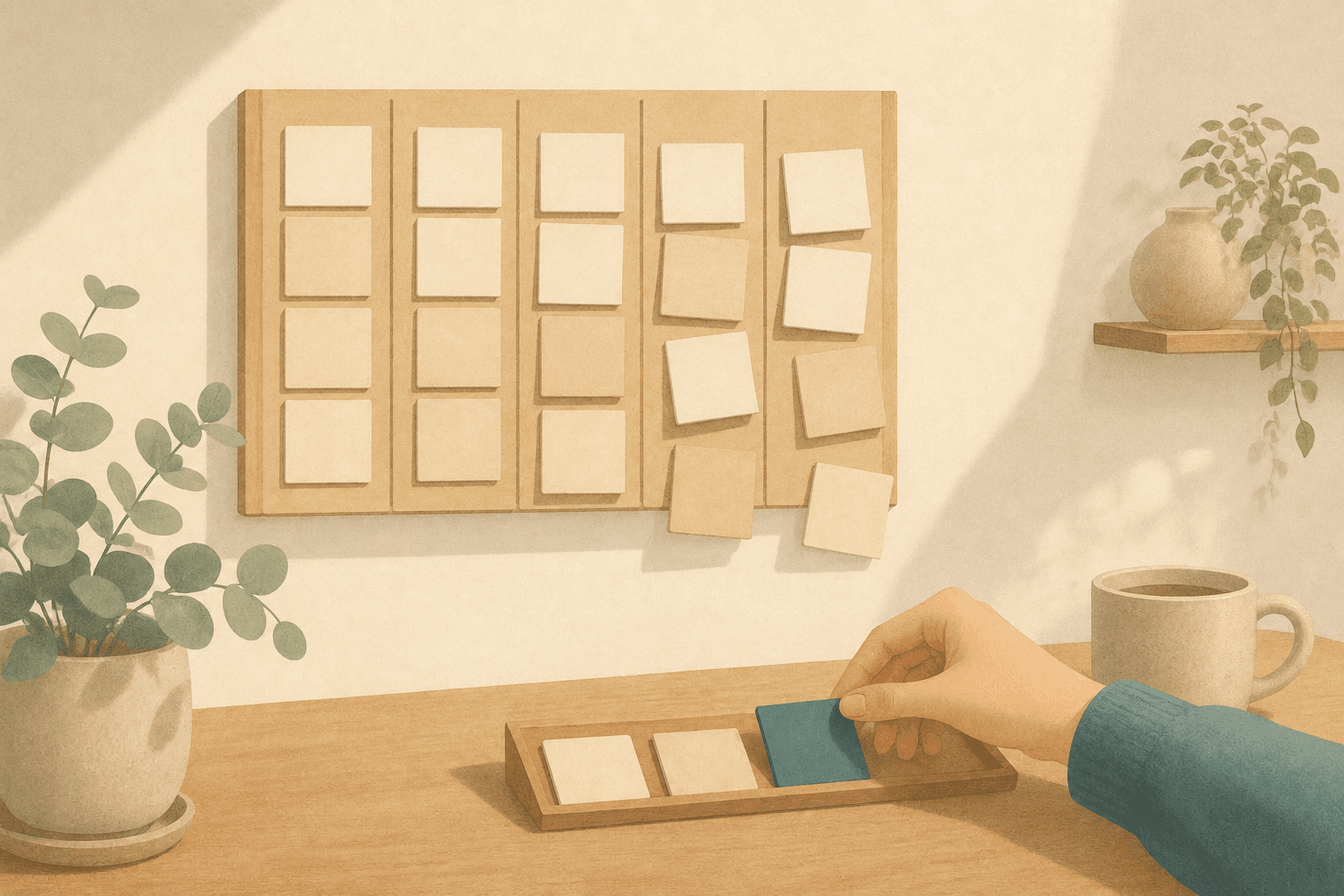
The week can hold what you owe other people. The clock gets decided on the day.
What a calendar can hold
A calendar holds two very different kinds of entries, and time blocking treats them as one. The first is the shared commitment: a meeting at 2pm Thursday exists whether or not you feel like attending it, because other people are holding the same slot. That's what makes the entry honest — its truth doesn't depend on you.
Now put "write the proposal" in the same grid at the same hour. It looks identical — a labeled rectangle — but it's a completely different kind of claim. It asserts that on Thursday at 2pm there will be a version of you with enough left in the tank to write, in the mood to write, and not currently on fire about something else. Nobody else is holding that slot. Nothing outside your own head makes it true.
Half of why this goes wrong is well documented. Kahneman and Tversky named the planning fallacy: we underestimate how long our own tasks will take, and we keep doing it even when we can recall every past project that overran (The Decision Lab). Every block you draw comes out a little too small, so the grid starts the week already in debt.
The other half gets less attention and does more damage. There's no named bias to cite here — the evidence is any week you've actually lived. Suppose your estimates are perfect. Two hours really is two hours. Thursday at 2pm still arrives with a specific person in it — one who slept badly, or came out of a meeting that went strangely, or spent the morning on something detailed and now has nothing precise left. The block is correctly sized and still undoable, because the work needs a state you don't have. Pick any block you abandoned last week and the reason lands in one of three places: how much energy you had left, what kind of work you were good for right then, and what had already interrupted you. You can guess at all three in advance, but you can only observe them on the day — and the observation beats the guess.
A schedule is a promise about time. Time blocking quietly turns it into a promise about your future state — and that's the promise that breaks.
Separate the order from the clock
Separating order from clock time doesn't mean planning less. It means moving one specific decision — the clock time of your own work — from the week before to the morning of. Four principles, none of which need an app.
- Give future days an order, not a grid. For a day that hasn't arrived, write the few things that matter in the order you'd want to take them on. Nothing else. An ordered list survives disruption because it never claimed a time: when the day gets rearranged, the list is still exactly right.
- Let the calendar hold only what you owe other people. Meetings, calls, deadlines, appointments — commitments with someone on the other end. Keep your own work sessions off that surface. Mixed together, a slipped meeting and a skipped writing block read as the same kind of failure, and you learn to trust the whole surface less.
- Assign clock times only for the day you're standing in. In the morning, you can see the gaps between your commitments and you can see yourself. That's the only moment when scheduling is observation rather than forecast. Pull work into the open time then — and only then.
- Pick the block by the state you're in, not the state you predicted. When you have energy to spare, take the work that needs it: creative work, or the kind of thinking that needs the whole of your attention. When you're running low, that's not a broken day — it's the right time for the pile of small, procedural work that's been sitting there. Choosing by the energy you actually have is what makes a day survive its own bad hours.
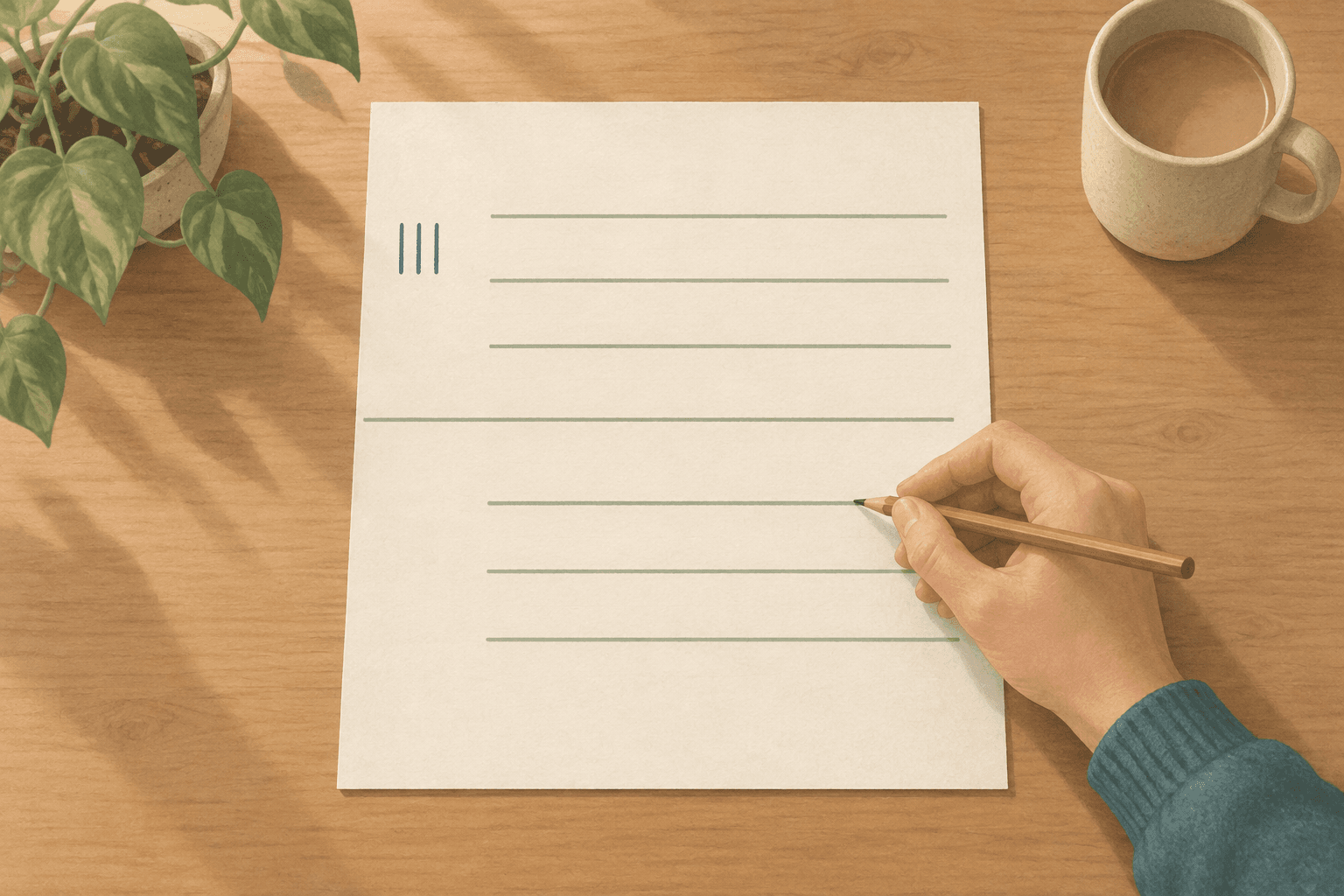
With a notebook, this is one page per day, split into two columns. Left: whatever has a time — the fixed commitments, plus the work you've placed into today's hours. Right: today's candidates, without times. You move things right to left as the hours arrive, and never before. Anything not making it into either column today isn't a failure — it's just not ready to be scheduled yet.
"But without the grid I just drift"
A grid does two useful things, and they're worth naming so they don't get thrown out with the clock times.
The first is capacity. A week laid out in blocks makes it obvious that eight things do not fit into Tuesday. Take away the grid and it's easy to write a list that's physically impossible, then feel bad about a day that was never survivable. Keep that constraint by keeping tomorrow's list short — a handful of items, few enough to actually finish. A day's plan that doesn't fit on a short list isn't a plan; it's a wish with bullet points.
The second is the starting signal. A block on the grid says now, and an open-ended list says nothing at all. But you can get the same signal in a stronger form: a slot chosen this morning is backed by information Sunday's rectangle never had — the actual gaps in the day, the actual state you're in — so the commitment it marks is one you can keep.
And when a day falls apart anyway — and it will — don't rebuild the schedule. Look at the time that's genuinely left, and choose again from your candidates based on the state you're in now. Then leave tomorrow's list alone. Tomorrow gets decided tomorrow, by the only person qualified to decide it.
How Canvas Tasks puts this into practice
This is where Canvas Tasks comes in — the structure above is built directly into how it stores your work: "when" is split into four separate layers, and only one of them takes a clock time.
A due date says when something is due. A to-do is a task placed on a specific day with no time attached, in an order you choose. A work plan block is the one that carries actual hours — and it can only be placed on the day you're in. An event is for commitments, and it lives on the calendar where those belong. One proposal, four layers: due Friday (the due date), lined up for Thursday (a to-do), placed into Thursday's 9–11 gap on Thursday morning (a work plan block), feeding into Friday's client call (an event).
The work plan block is the load-bearing layer. The day timeline is fixed to today: there's no navigation to move it forward, so there is no gesture in the app for building a grid on a day that hasn't happened. Future days accept a to-do list, in order, without times.
In the week or month calendar, work plan blocks show up read-only, colour-coded by the kind of work — you can see the shape of what you've planned, but the placing happens elsewhere, on the day timeline. The second principle survives intact: it forbade building your work on the shared surface, not seeing it there.
Placing is a pulling motion, not a filling-in one. Open the task panel next to today's timeline and it's a menu of candidates you can sort and filter — by the energy a task needs, by the kind of work it is, or down to just what hasn't been placed yet. Drag one into an open hour and it becomes a block — sixty minutes by default, which you can drag longer, shorter, or somewhere else entirely as the day argues with you. Placing a task doesn't set a due date, either: deciding when you'll start something stays completely separate from when it's actually due.
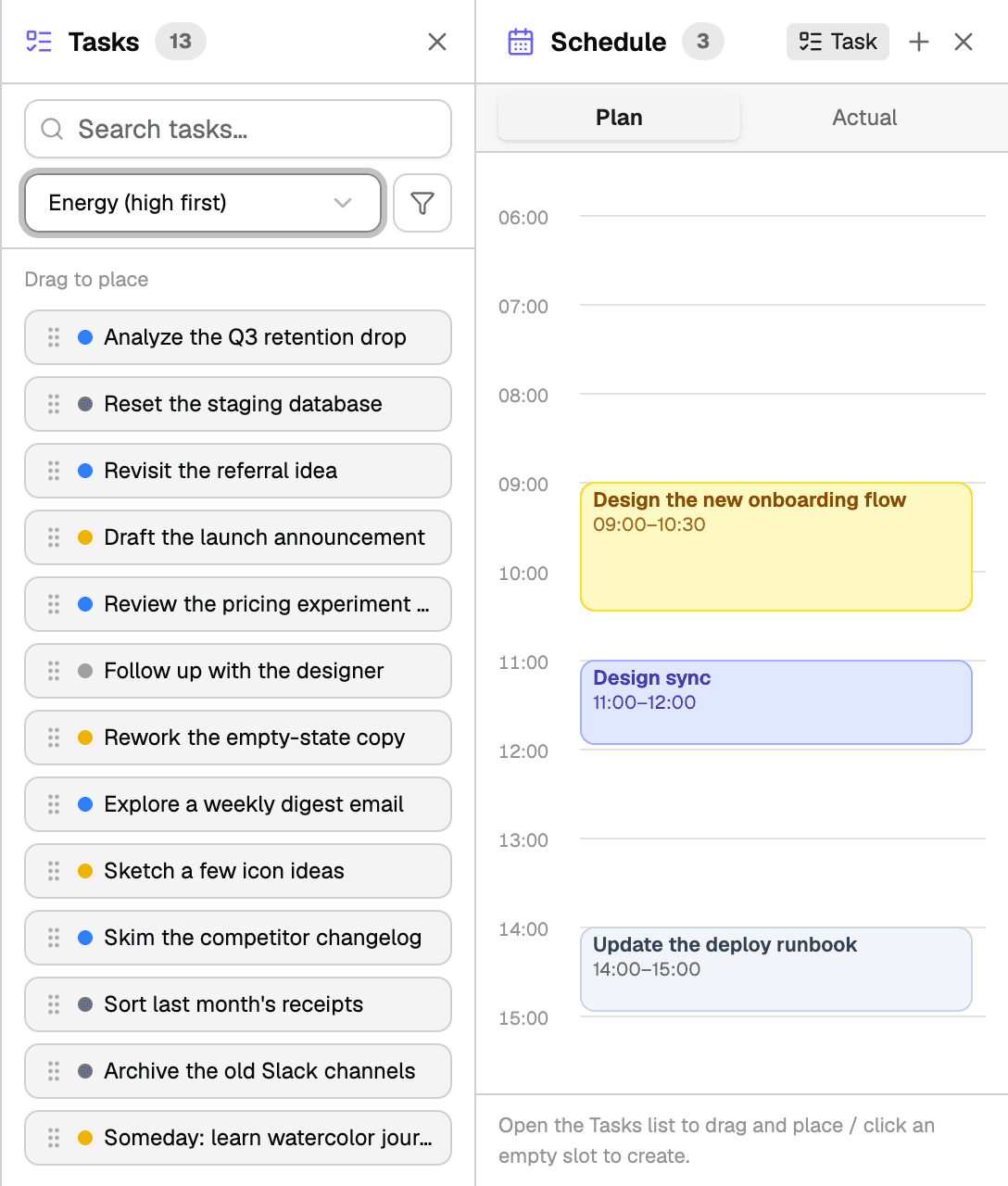
Today's timeline, with the candidate list beside it. You pull from the menu; you don't fill in a week.
Two honest caveats. The week and month calendars — and subscribing to external calendars — are Pro features; the Today home and its day timeline are free, which is deliberate, since that's where the actual work of the method happens. And the free plan caps today's to-dos at five — in practice, the same capacity constraint the grid used to provide, without the grid.
The week still gets planned on Sunday evening — as an order. The clock waits for a morning that can actually see the day.
Frequently asked questions
If I don't block time, what stops meetings from eating the whole day?
Blocking your own work doesn't stop that either. A block other people can book over was never protection, and one you defend you could have defended without drawing it. What holds a stretch open is telling people it isn't available, which is a conversation rather than a calendar entry. The grid is the wrong instrument for a permission problem.
What if someone asks when I'll get to their thing?
Answer with a day rather than an hour. A day is a promise an ordered list can keep; an hour is the prediction that deciding times on the day removes, and offering one turns their request into a block you then have to defend. If they genuinely need a specific hour, that's a meeting, and meetings belong on the calendar.
What about something I do at the same time every week?
A standing commitment with other people in it belongs on the calendar like any other. A private ritual — the Friday review, the weekly tidy — is different: fixing its clock time buys a reminder and costs you the method on every week that hour turns out to be wrong. Keep the day, choose the hour when it arrives.
Should the ordered list say how long each thing takes?
Times, no. A rough size, yes. Knowing something is a two-hour job helps you match it to the gap in front of you. What to avoid is the arithmetic — adding the estimates up until the day balances on paper is the grid rebuilt in a narrower column.